A to-do list can tell you that five things need to be done today. What it usually doesn't tell you is whether those five things will fit between a 9:00 meeting, lunch, two calls and everything else already on your calendar.
That difference sounds small until you have a busy week.
Daily Task Planner is a Windows app built around that problem. Instead of keeping tasks in a flat list, it gives them a place in time. You can look at the same schedule as a timeline, an agenda or a calendar, depending on what you are trying to figure out.
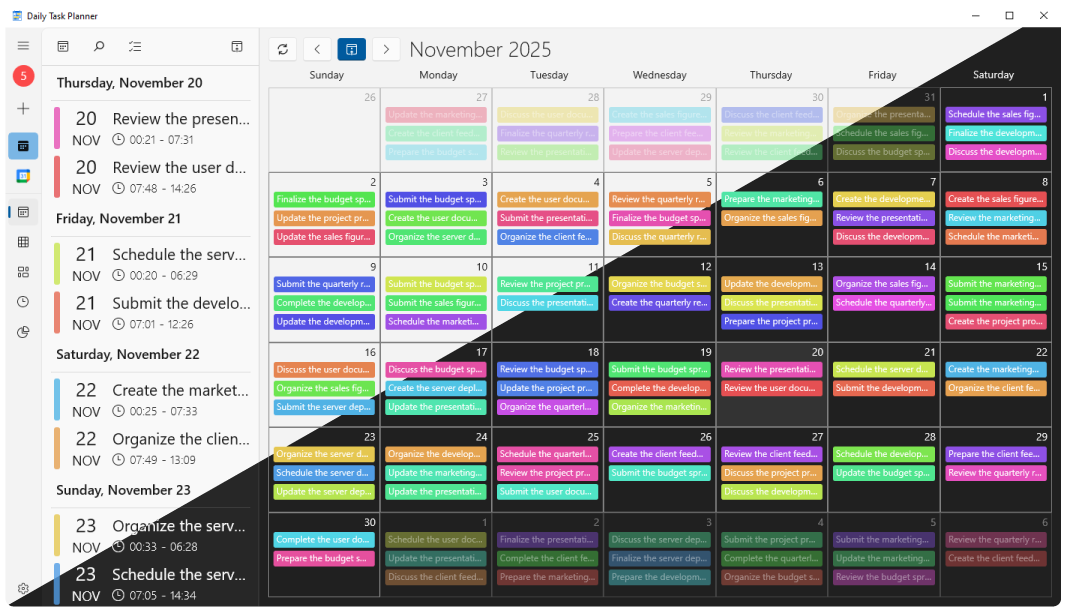
The timeline is probably the clearest example. A thirty-minute task takes up a small piece of the schedule. A three-hour task takes up three hours. Obvious, yes, but that is exactly the kind of information that disappears when both are shown as identical checkboxes.
You can drag tasks to a different time, resize them and connect work through dependencies. If research needs to be finished before a report can start, that relationship can stay visible on the schedule instead of living somewhere in your head.
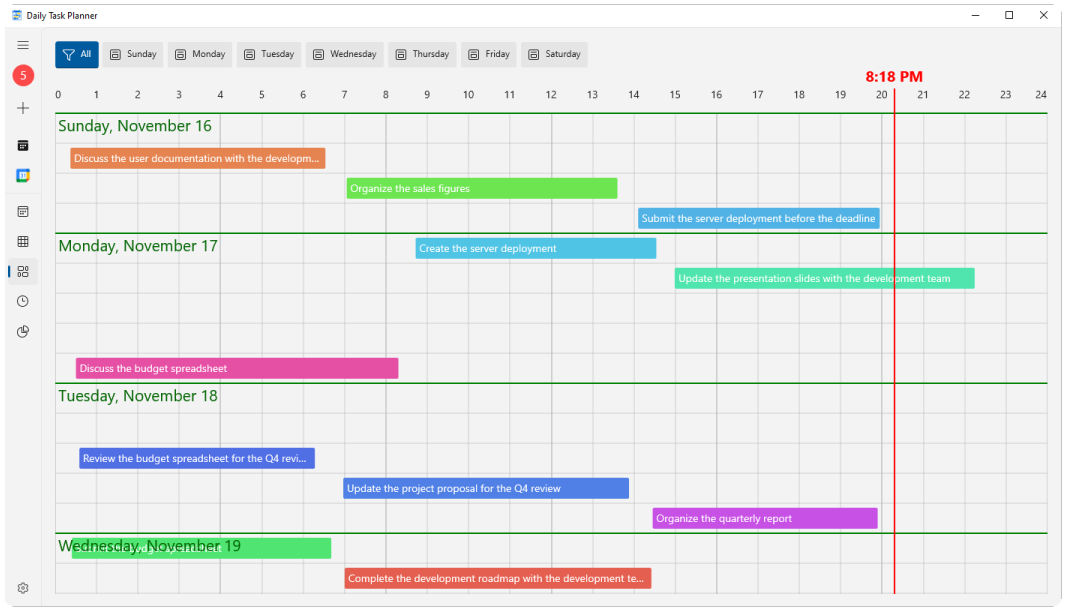
This is useful when a normal task list starts lying to you a little.
“Write proposal”, “review changes” and “prepare presentation” look harmless when they occupy three lines. Put realistic durations next to them and you may discover that they consume most of the afternoon.
That is the main appeal of this kind of planner. It forces the schedule to deal with the same twenty-four hours you do.
A useful view when you just want to know what comes next
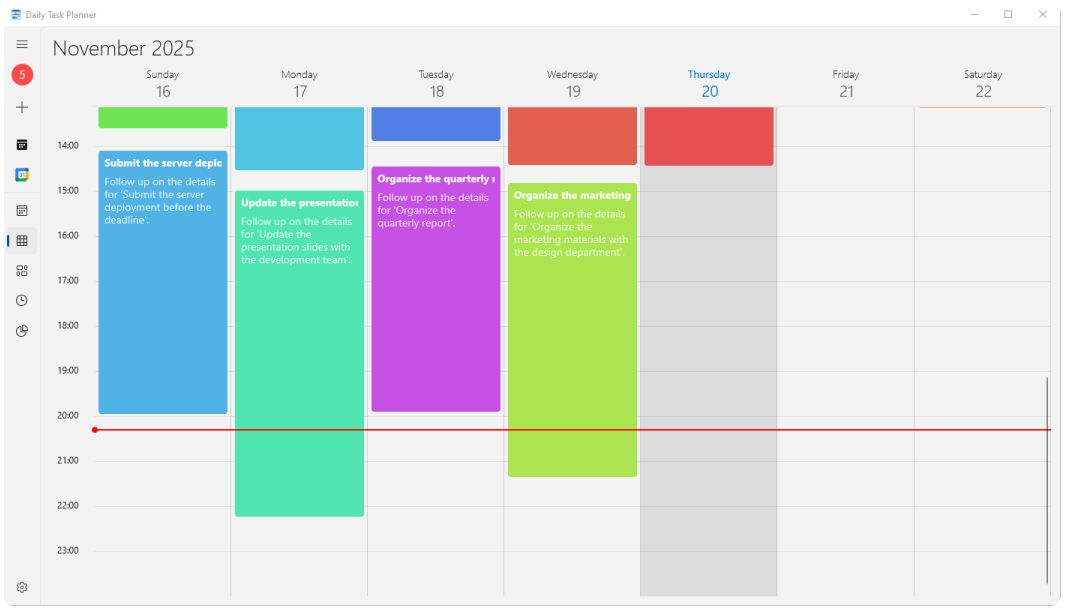
The Agenda view takes a simpler approach. It shows the day vertically, hour by hour, with tasks and appointments sitting where they actually belong.
What I like about this view is that the empty space becomes visible too.
Suppose you finish a meeting at 10:15 and have another one at 11:00. On a task list, that forty-five-minute gap barely exists. On an agenda, you can see it immediately and decide whether it is enough time to answer email, review a document or simply leave alone.
For planning an ordinary workday, this may be more useful than a dashboard full of statistics.
The calendar is where crowded weeks become obvious
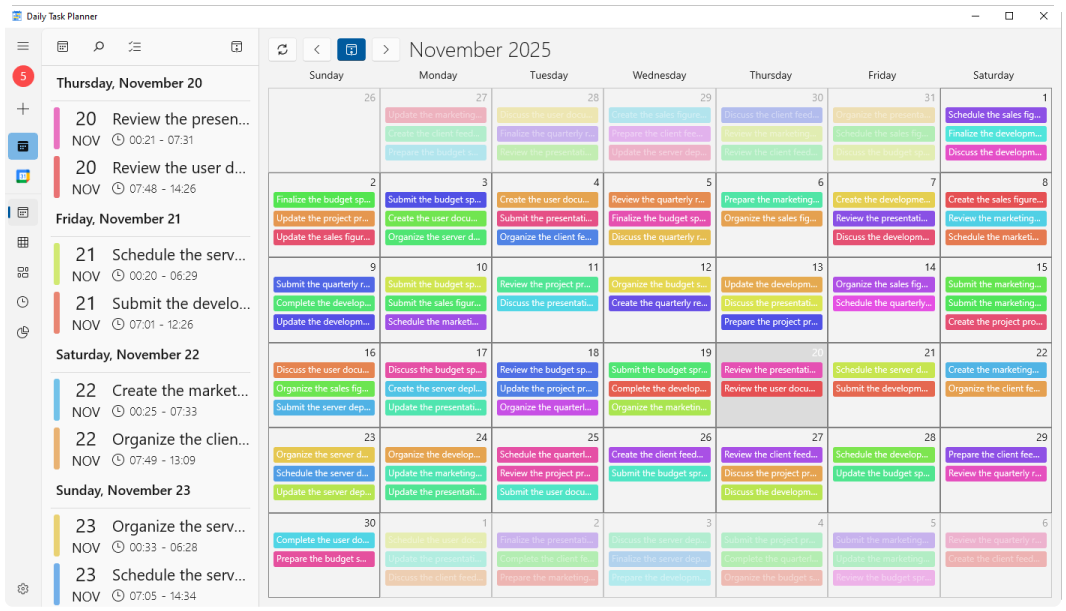
Daily Task Planner also has a monthly calendar. There is nothing unusual about having a calendar view by itself; the useful part is that it is showing the same tasks you have been arranging elsewhere.
You do not need to recreate the plan every time you change perspective.
A week can look perfectly reasonable when you are reading a list from top to bottom. The calendar makes clusters harder to miss. Three deadlines landing on Thursday look like three deadlines landing on Thursday.
It can also work with Google Calendar
If your appointments already live in Google Calendar, copying them into another planner would be a bad way to save time.
Daily Task Planner can connect to Google Calendar so those events can appear alongside the tasks you are planning.
There is a privacy detail worth pointing out here. According to the app's privacy policy , calendar data used by Daily Task Planner is stored locally on the device and is not stored on iDruf's servers.
Calendar changes made through the app are kept locally first, and synchronization is started manually. Some people will prefer automatic sync everywhere; others may actually like choosing when that exchange happens. Either way, it is useful to know how the app behaves before connecting an account.
The 24-hour clock is unusual, and occasionally useful
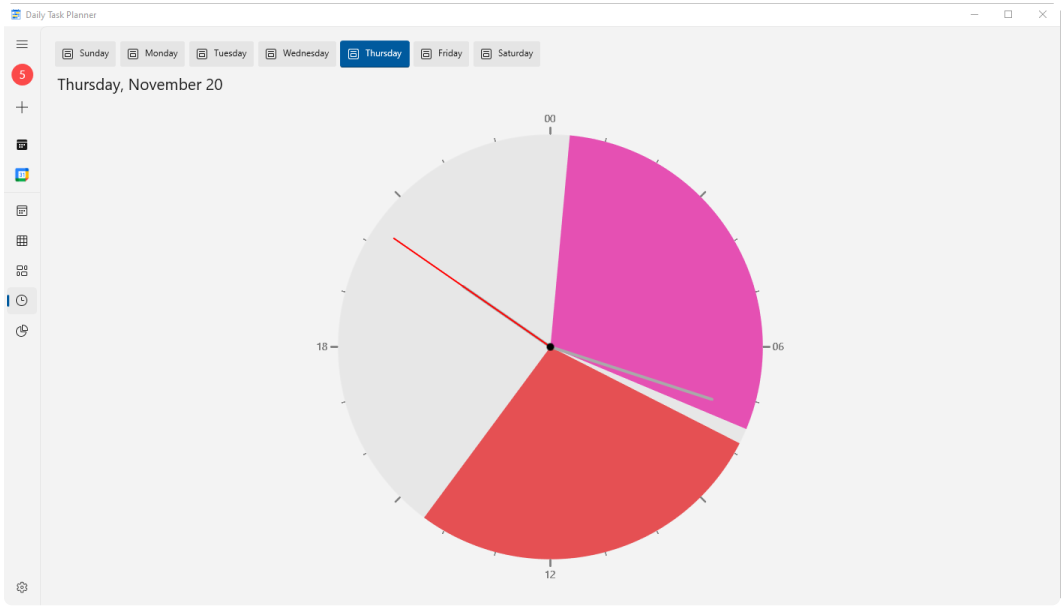
One of the more distinctive views is a circular clock representing the full twenty-four hours of the day.
It is not the view I would use to arrange every task, but it does something the standard calendar does not: it makes the proportions of the day easy to see. If work, meetings or another activity are consuming a large block of time, the shape makes that fairly obvious.
There are also time summaries for looking at how scheduled hours are distributed between activities. I would treat these as supporting views rather than the reason to use the app, but they can reveal patterns that are easy to miss during the week.
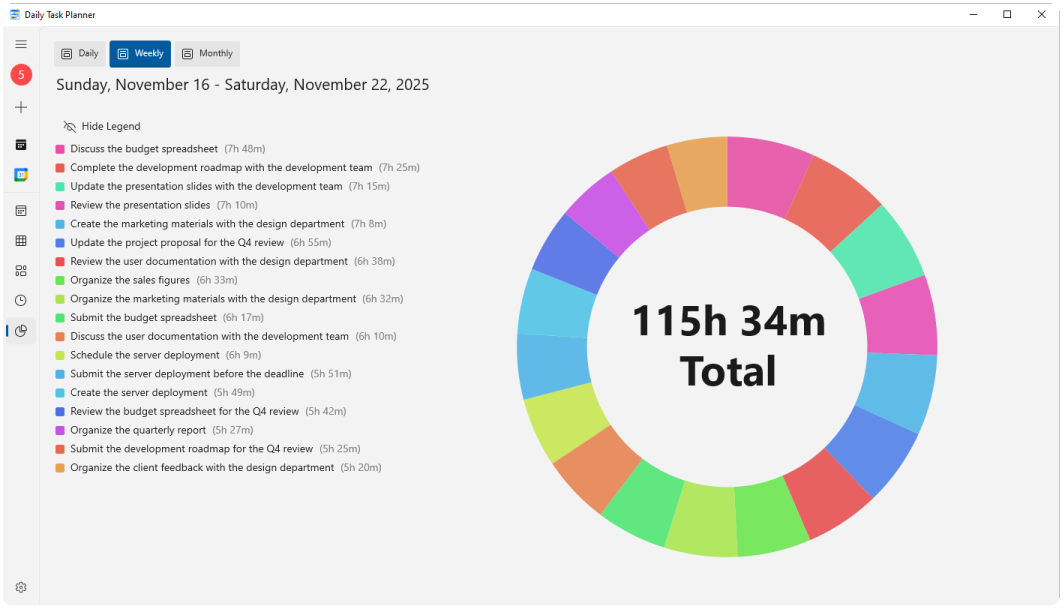
For example, you may think most of your day is going into project work, then notice that meetings and administrative tasks have broken the afternoon into small pieces. That is easier to see in a time-based view than in a completed tasks counter.
Who is this actually for?
Daily Task Planner makes the most sense when the timing of a task matters almost as much as the task itself.
A developer might use it to place focused work around meetings. A student could map study sessions around classes. A freelancer juggling several deadlines can see whether a new job genuinely fits before agreeing to it.
If your entire planning system is “buy milk, call John, pay bill”, this is probably more structure than you need. Microsoft To Do, a notes app or even a piece of paper can handle that perfectly well.
The app becomes more interesting when tasks have duration, fixed dates or a dependency on other work.
Why use this instead of an ordinary to-do list?
The distinction is easiest to see with a small example.
| In a task list | In Daily Task Planner |
|---|---|
| “Prepare presentation” | Tuesday, 14:00–16:00 |
| “Write report” | Starts after research is finished |
| “Study” | Fits between class and evening appointment |
Both approaches are valid. They answer different questions.
A checklist is good at preserving intent: remember to do this. A visual schedule is better at confronting that intention with time: when, for how long, and around what else?
That is a useful distinction if you regularly reach the end of the day with several perfectly reasonable tasks still sitting untouched.
A Windows app, distributed through Microsoft Store
Daily Task Planner is available for Windows through the Microsoft Store. The app brings its timeline, agenda, calendar, task dependencies, Google Calendar integration and time views into one desktop application.
It has also been reviewed independently by Softpedia , which gave the application a 4/5 rating.
If you already have a task manager that works, there is little reason to change tools for the sake of changing tools. But if your recurring problem is that a to-do list shows what you want to accomplish without showing where those tasks fit, the timeline approach is worth a look.
Daily Task Planner for Windows
See tasks, calendar events and available time in the same schedule.
Includes: timeline planning, agenda, monthly calendar, task dependencies, Google Calendar integration, a 24-hour clock view and time summaries.
Official website: idruf.com/products/dailytaskplanner